Invite Links and Gift Codes
Learn how invitation attribution, referral rewards, and gift-code redemption work for personal and project wallets.
In UnieAI Studio, invite links record a new user's invitation source and referral rewards. Gift codes are single-use redemption codes that add a specified credit amount to a personal or project wallet. Neither mechanism grants a platform role or project membership.
At a Glance
| Item | Invite link | Gift code |
|---|---|---|
| Primary purpose | New-user attribution and referral rewards | Add credits to the current target wallet |
| How it is used | Open a sign-in link containing ?35p=invite-code | Enter the code at /plan/gift |
| Who can use it | A user creating an account through Google or Microsoft for the first time | A signed-in, non-Pending user, subject to project-role restrictions |
| Usage limit | Per-code reward-use limit configured by an administrator | Each code can be redeemed successfully once |
| Permission effect | Does not change roles or join a project | Does not change roles or resource permissions |
Open the Gifts Page
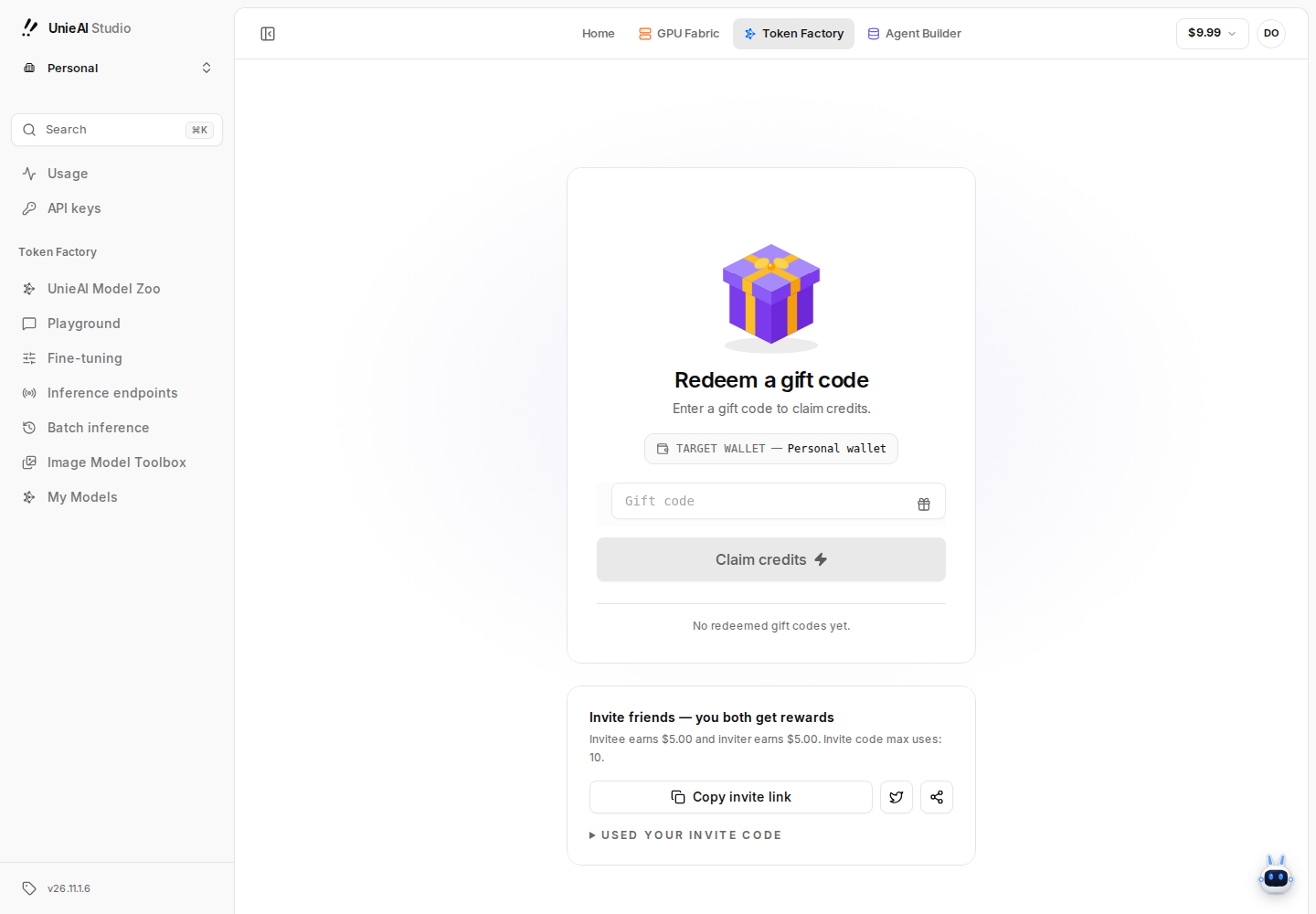
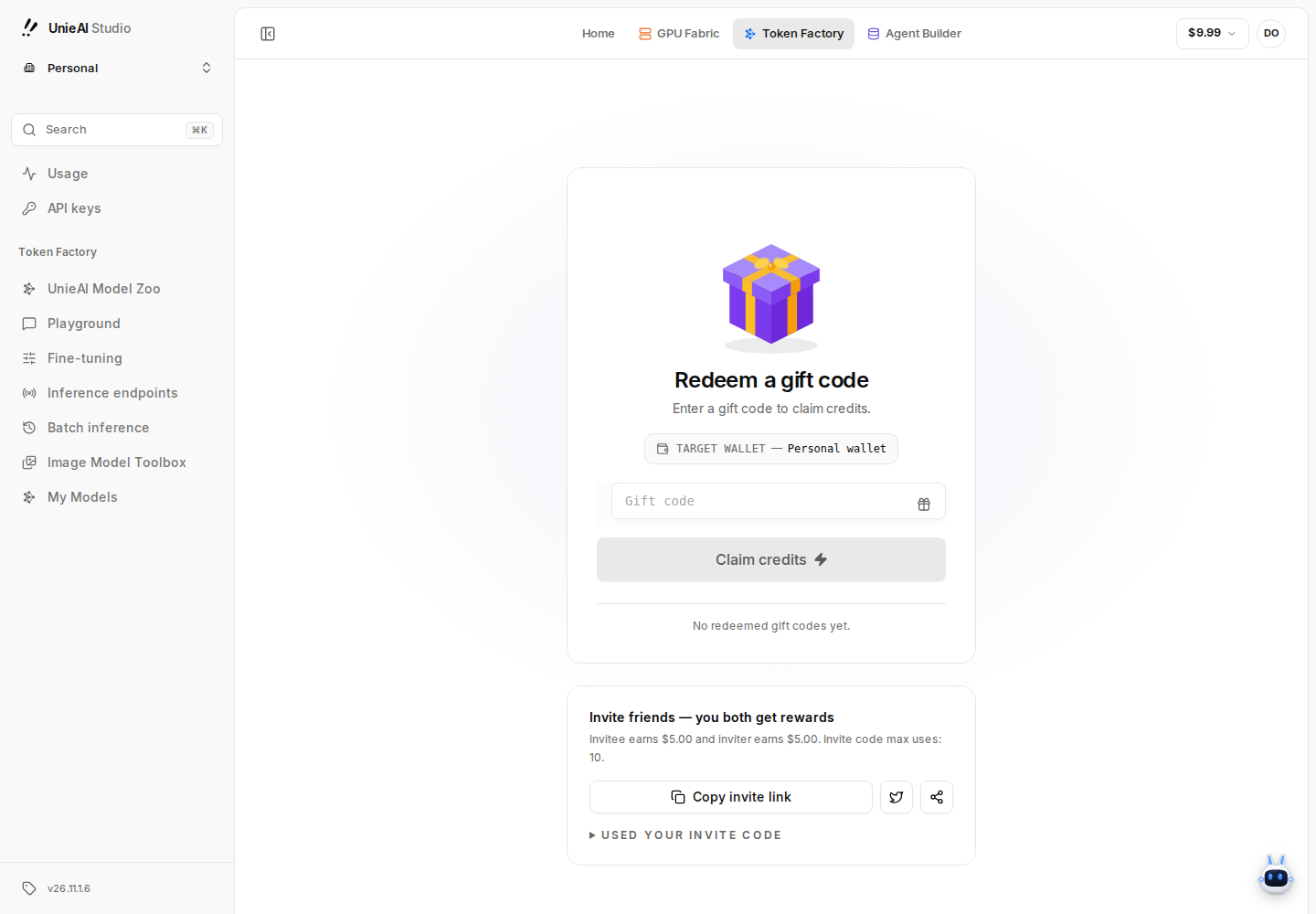
In the standard edition, go to the upper-right balance menu → Plan and select Have a gift code?, or open /plan/gift directly. In the on-premises enterprise edition, Plan may open the gifts page directly.
The page identifies the target wallet from the current project or personal account:
- Personal account uses the personal wallet.
- A project uses that project's wallet.
- The invite-link card appears only in personal mode and outside the on-premises enterprise edition.
Share an Invite Link
Every platform user has a unique personal invite code. The page shares a complete sign-in URL containing that code, so the invitee does not enter it separately.
/plan/gift.The link has the form /login?35p=invite-code. The platform preserves the invite code during OAuth sign-in and records the inviter and invitee when it creates the new user.
An invite code is processed only when a new OAuth user is created. Signing in again with an existing account or using a test account does not create a referral.
Invite Codes Do Not Grant Access
After an invite link is used:
- The new account still receives the platform's configured default role, which is Pending by default.
- The invite code does not activate a Pending account.
- The invite code does not add the user to a project.
- Project access still requires a project membership invitation.
See Sign-in and Authentication and Accounts and Roles for those flows.
How Referral Rewards Work
A Super Admin or Admin can configure the invitee reward, inviter reward, and maximum rewarded uses for each invite code. A value of 0 means unlimited uses.
When a valid invite code creates a new user, the platform creates a referral record using the reward rules in effect at that time:
- Before the limit is reached, the status is Issued, ready to claim.
- After the limit is reached, later users can still register, but the referral status is Limit reached and neither party receives that referral's reward.
- In standard mode, the referral-claim flow credits the inviter's and invitee's personal wallets.
- With advanced referral protection enabled, the inviter's reward is credited automatically only if the invitee's first successful personal-wallet top-up meets the configured threshold. Project-wallet top-ups do not qualify.
The backend currently provides the POST /api/rewards/claim referral-claim endpoint, but the current gifts page displays referral status without a button that calls it. Issued, ready to claim does not mean the credits are already in the wallet; use the wallet ledger as the source of truth.
Redeem a Gift Code
/plan/gift and verify the displayed target wallet.Redemption rules:
- Pending users cannot redeem gift codes.
- Redemption in personal account credits the personal wallet.
- In a project, only the project Creator or a Collaborator can redeem into the project wallet; a User cannot.
- Redemption fails if the code is already redeemed, does not exist, or is assigned to another user.
- Gift codes currently have no expiration field. Availability is controlled by the
activeorredeemedstatus.
The page shows the current user's recent redeemed codes, and the wallet ledger records the credit as a gift-code entry.
Administrator Settings and Code Generation
Super Admins and Admins can open Admin Panel → Rewards.
Reward Settings
- Sign-up reward amount
- Default gift-code amount
- Maximum rewarded uses per invite code
- Invitee and inviter reward amounts
- Advanced referral protection and the first personal-wallet top-up threshold
Gift Code History
- Generate between 1 and 100 unique codes per batch.
- Set the batch's USD value and an administrator note.
- Export the newly generated batch as CSV or PDF and store it securely for distribution.
- Review each code's amount, status, redeemer, and timestamps.