Call an agent from code, step by step
Verify the agent, Runtime URL, key, and model ID, send a request, and compare the answer.
Complete the document agent walkthrough and verify Playground first. This guide connects that agent to a backend. For uploading files from code, use the parsing tutorial.
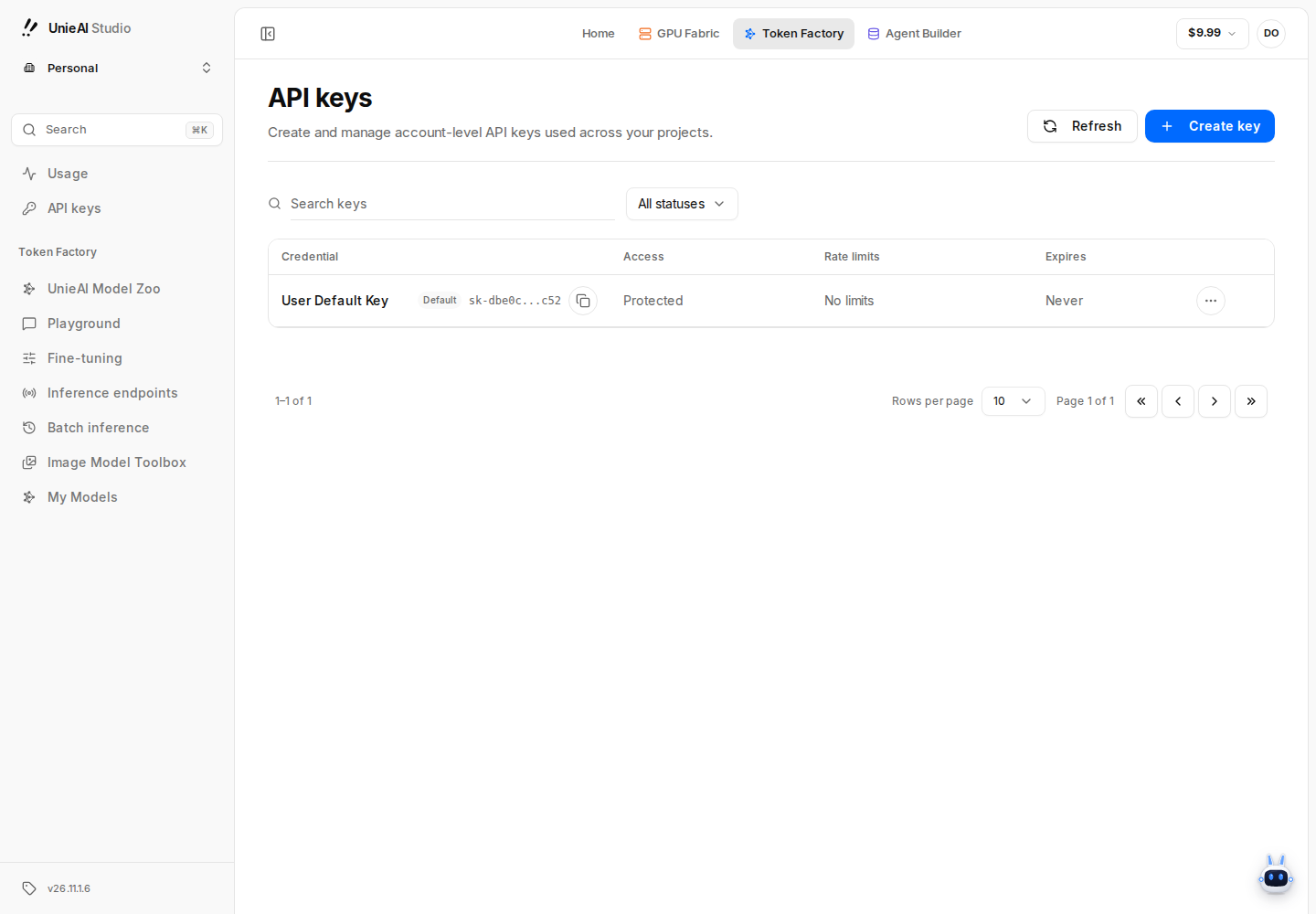
1. Confirm project or personal account and key
- Select the agent's personal account or project.
- Open API Keys.
- Use a key allowed to call the agent, or create an application key.
- If a model allowlist is configured, include this agent.
2. Copy the agent model ID and Runtime URL
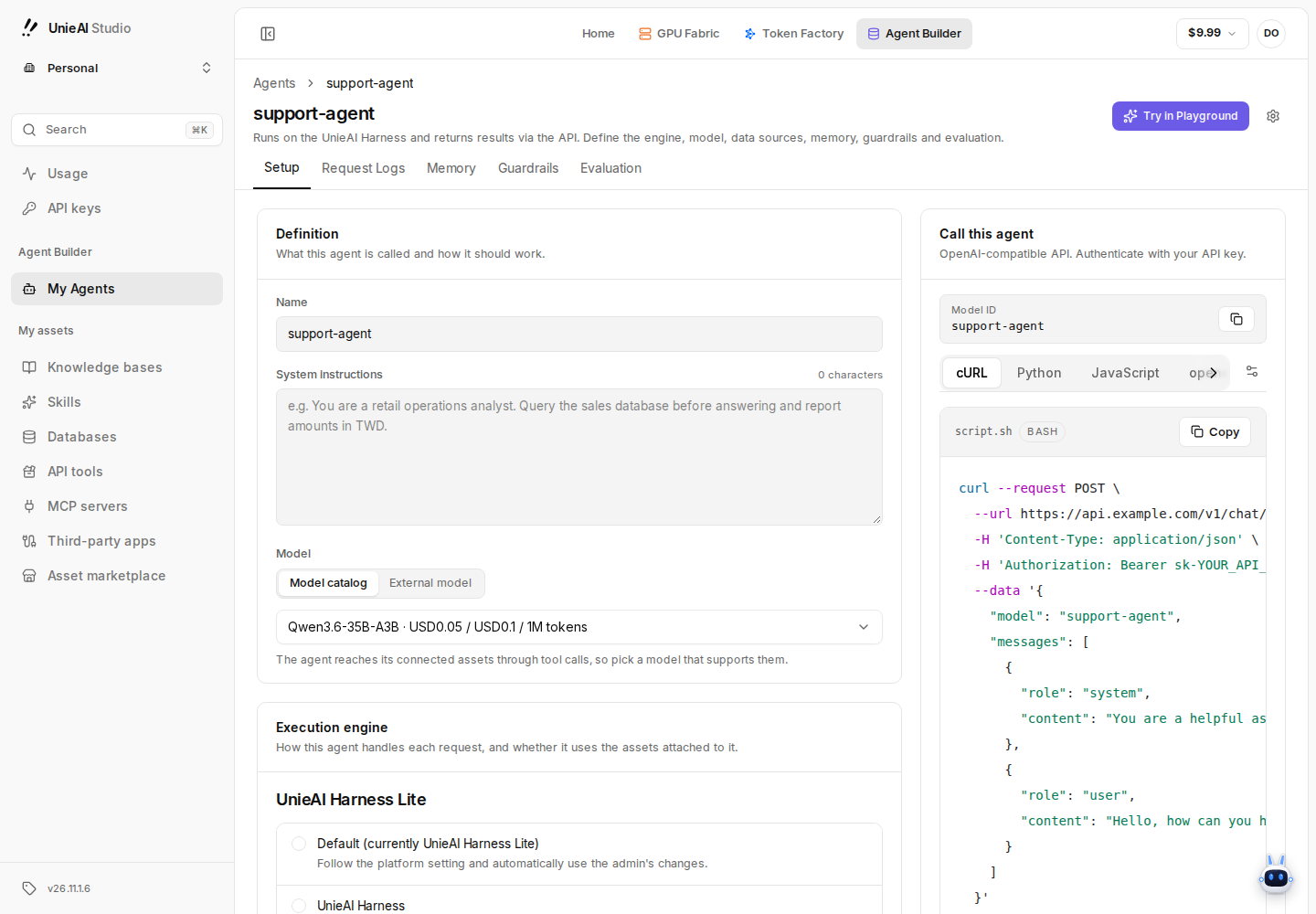
- Open Agent Builder → My Agents → your agent → Setup.
- Find Call this agent and copy Model ID.
- Inspect its API samples for the public Runtime Base URL.
- Do not infer the ID from a display name or substitute the base-model name.
| URL | Purpose |
|---|---|
| Studio, such as https://studio.example.com | Website and /api/parse/jobs |
| Runtime, such as https://api.example.com | /v1/chat/completions, /v1/models, and model APIs |
They can differ unless the deployment exposes both through one gateway. Use the agent's actual connection information.
3. Set environment variables
export UNIEAI_RUNTIME_URL="https://api.example.com"
export UNIEAI_API_KEY="YOUR_API_KEY"
export UNIEAI_AGENT_MODEL="YOUR_AGENT_MODEL_ID"
Replace every placeholder. The next example requires cURL, not an OpenAI SDK.
4. Send the first request
curl --fail-with-body -sS \
  "$UNIEAI_RUNTIME_URL/v1/chat/completions" \
  -H "Authorization: Bearer $UNIEAI_API_KEY" \
  -H "Content-Type: application/json" \
  -d "{\"model\":\"$UNIEAI_AGENT_MODEL\",\"messages\":[{\"role\":\"user\",\"content\":\"What are ORBIT-42 support hours and timezone? Cite the source.\"}],\"stream\":false}"
Success is HTTP 200; read choices[0].message.content. Other fields depend on the model and engine. Validate a non-streaming request first before implementing streaming.
Checkpoint: with the sample, the answer contains Monday–Friday, 09:00–18:00, Asia/Taipei, and the source filename.
5. Call the same agent with Python
python -m pip install requestsimport os
import requests
response = requests.post(
os.environ["UNIEAI_RUNTIME_URL"].rstrip("/") + "/v1/chat/completions",
headers={"Authorization": f"Bearer {os.environ['UNIEAI_API_KEY']}"},
json={
"model": os.environ["UNIEAI_AGENT_MODEL"],
"messages": [{"role": "user", "content": "What are ORBIT-42 support hours? Cite the source."}],
"stream": False,
},
timeout=(10, 180),
)
if not response.ok:
raise RuntimeError(f"HTTP {response.status_code}: {response.text}")
print(response.json()["choices"][0]["message"]["content"])6. Compare and diagnose
- Ask the same question as in Playground.
- Compare agent model ID, key scope, conversation history, and generation parameters.
- Find the request in Usage or the agent's Request Logs.
- Record the error and request ID, not only a screenshot of an empty answer.
| Symptom | First action |
|---|---|
| 404 or HTML | Check for a Studio URL where Runtime is needed |
| 401/403 | Check key, project or personal account, agent access, model restrictions |
| Answer ignores documents | Agent ID, attached KB, tool engine |
| Timeout | Inspect request logs and tools; choose an appropriate client waiting limit |
Next: API reference, KB parsing, and acceptance checks.
Document agent acceptance checks and diagnosis
Verify models, documents, retrieval, agent behavior, and API access one layer at a time.
What Rabi can do for you
Rabi is the console's AI assistant. Say what you want done and it looks things up, changes settings, tests and diagnoses — without you moving between pages.