Version history, comparisons, and marketplace snapshots
Open current KB Git history, compare document manifests, and distinguish marketplace review snapshots.
This guide separates document-manifest history from fixed marketplace snapshots. The Settings navigation still says Snapshots, while Manage snapshots opens the Git version-history panel.
1. Open version history
- Select the current project or personal account and open the KB in Agent Builder → Knowledge bases.
- Open Settings → Snapshots.
- Click Manage snapshots. A version/history entry on the files page may also open the history.
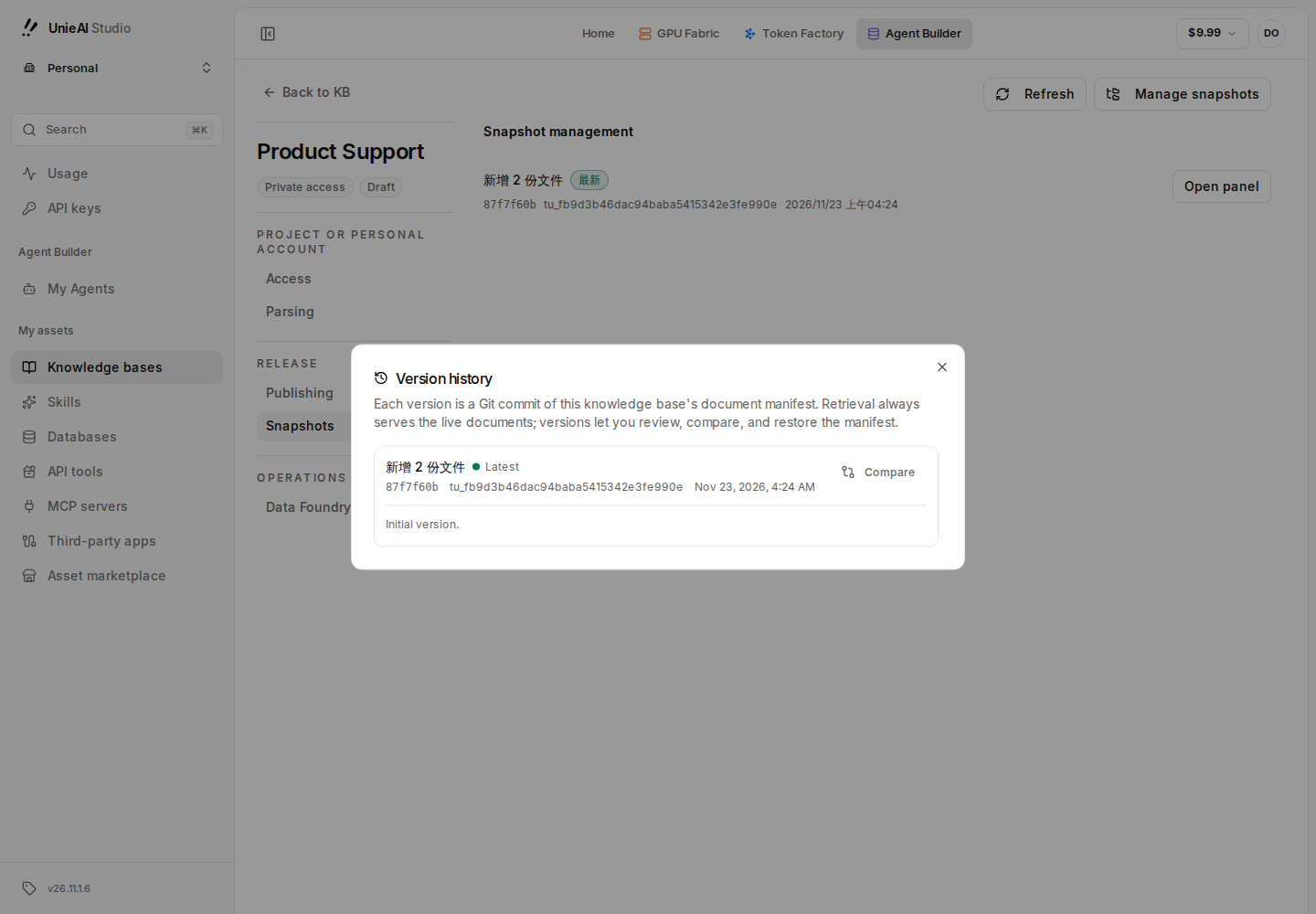
- Check that the panel says Version history. Each row has a message, revision identifier, author, and time.
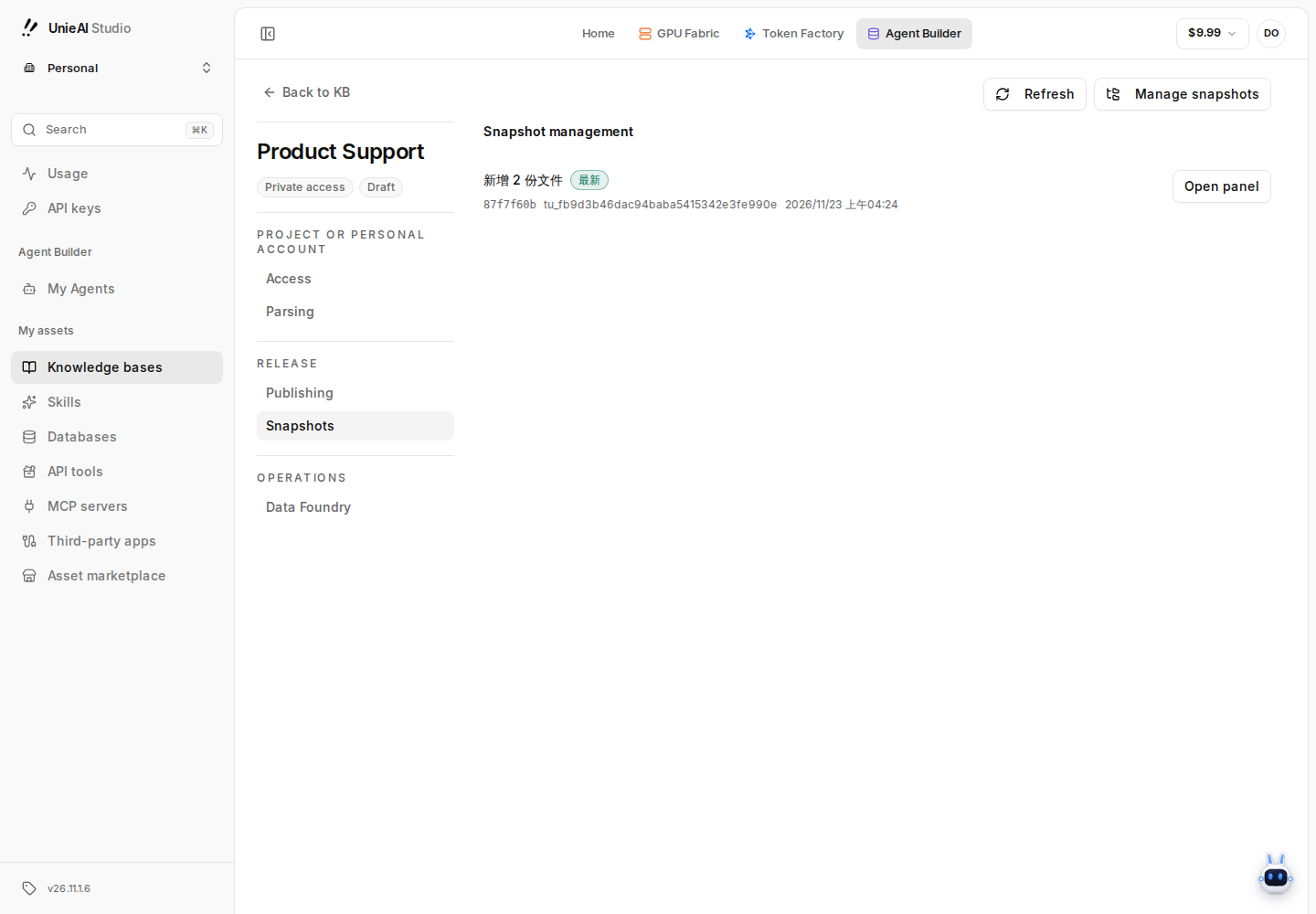
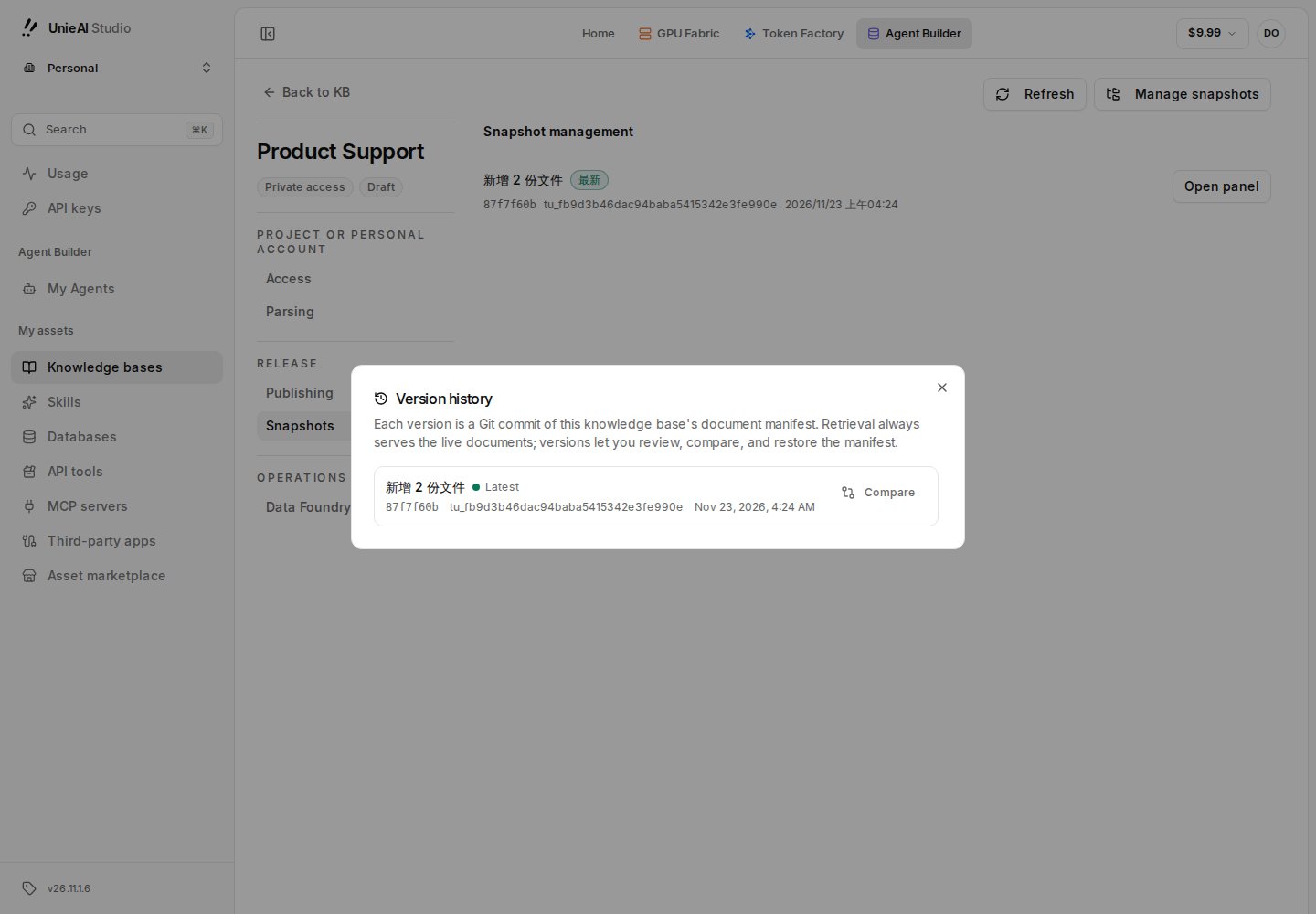
Checkpoint: the panel shows historical document manifests. It is not another live search index. If empty, finish adding or editing a document and refresh.
2. Compare revisions
- Click Compare beside a revision.
- Inspect documents added, removed, or modified relative to the preceding revision.
- “No document changes” means the manifests have no differences; it does not certify that every file is byte-for-byte identical.
- Return to the live files and search pages to verify content the agent will actually use.
3. Understand restoration scope
History records the document manifest and references, not a full copy of the source-file archive. Opening an older revision does not make retrieval use historical content.
Restore appears only when your permissions and that entry point allow it. The Settings panel may provide review and comparison only; an authorized files-page entry may also offer restoration. Verify the target revision before restoring, then inspect live documents and search results. Restoring a manifest is not a complete backup restore of source files or every document version.
4. Marketplace snapshots have a separate purpose
- Open Settings → Publishing.
- Open Publish to Marketplace.
- Select a snapshot from the options actually offered on that page.
- Review description, price, fees, and the checklist before submitting for review.
Git revisions and marketplace snapshots use different identifiers. Do not use a Git commit ID as a marketplace snapshot ID. The current Manage snapshots dialog has no Create snapshot action. If no submittable snapshot is available, finish document processing, check for a system-created snapshot, and ask the administrator to investigate; do not look for a creation action in version history.
5. Update a published listing
An approved marketplace snapshot does not automatically follow live edits. Verify new parsing and search results, then choose an available snapshot in Publishing for a new submission. Content changes or a newer submission may supersede a pending submission. Existing approved content and new submissions are tracked separately.
See publishing assets, KB access, and Data Foundry.
Preview or switch an individual document’s de-identification versions in Data Foundry.
Data Foundry de-identification
Process sensitive text in complete parsed documents and manage the resulting versions.
Querying Large Databases
Handing a database to an assistant — from connecting it, through letting the system read it, to the few sentences you write that make it answer accurately. Every step says why it exists, and whether what you wrote actually reaches the assistant.