Wallets, top-ups, and gift codes
Verify the active wallet, top up, redeem a gift code, and distinguish top-up history from usage.
1. Confirm the target wallet
Check the current project or personal account and the balance menu at the top right. Personal and project wallets are separate. Before topping up, verify which wallet the page names. Runtime billing follows the applicable request identity and resource scope; a browser project or personal account switch does not change a backend API key’s scope.
Where charges come from
| Entry point / key | Charged in this order |
|---|---|
| Rabi company conversation (same for project or personal assets) | Enterprise allowance → enterprise wallet |
| Rabi personal conversation (including project Agents and assets) | Personal Rabi allowance → wallet |
| Project key (including project-view Agent tests in Studio) | Project wallet (same whether bound or not) |
| Personal key | Plan allowance (with a Rabi subscription) → personal wallet |
Usage from Rabi counts in Rabi; usage with a Studio key counts in Studio.
Rabi conversations that use Studio project assets follow the same table (Planned; see Rabi and Studio Asset Access).
2. Choose a top-up
Open the wallet/top-up page. Choose an offered amount or enter a custom amount subject to the displayed minimum. Check the wallet, currency, and amount, then proceed to payment and finish the Stripe checkout. Return to the same project or personal account and verify the resulting balance. Amounts and availability depend on deployment configuration.
3. Use a gift code
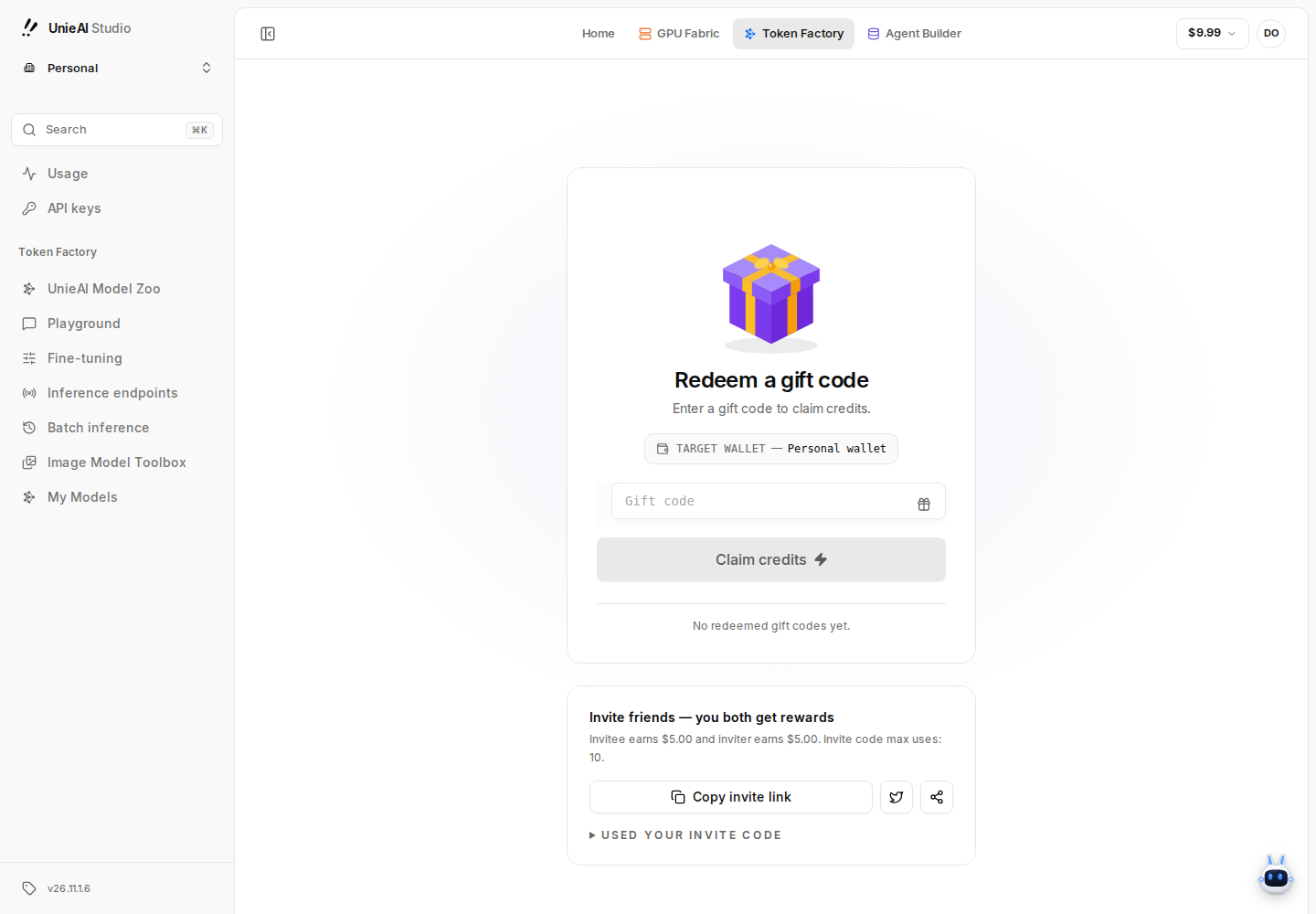
Open /plan/gift, check the target wallet, enter your valid code, and claim credits. The screenshot uses a non-redeemable example. Project redemption requires a creator or collaborator. A gift code does not grant a project role.
4. Inspect history and spending
Open Top-up history for credit additions. Use Usage for model requests, keys, tokens, and charges. If a payment appears successful but the balance does not match, first verify wallet scope and the top-up record. On-premise deployments may use administrator-issued credit rather than online checkout.
See billing and referral links and gift codes.