KB parsing API: upload, poll, and retrieve results
Use a project or personal account Default Key to parse documents in the background, with cURL, response fields, and a complete Python example.
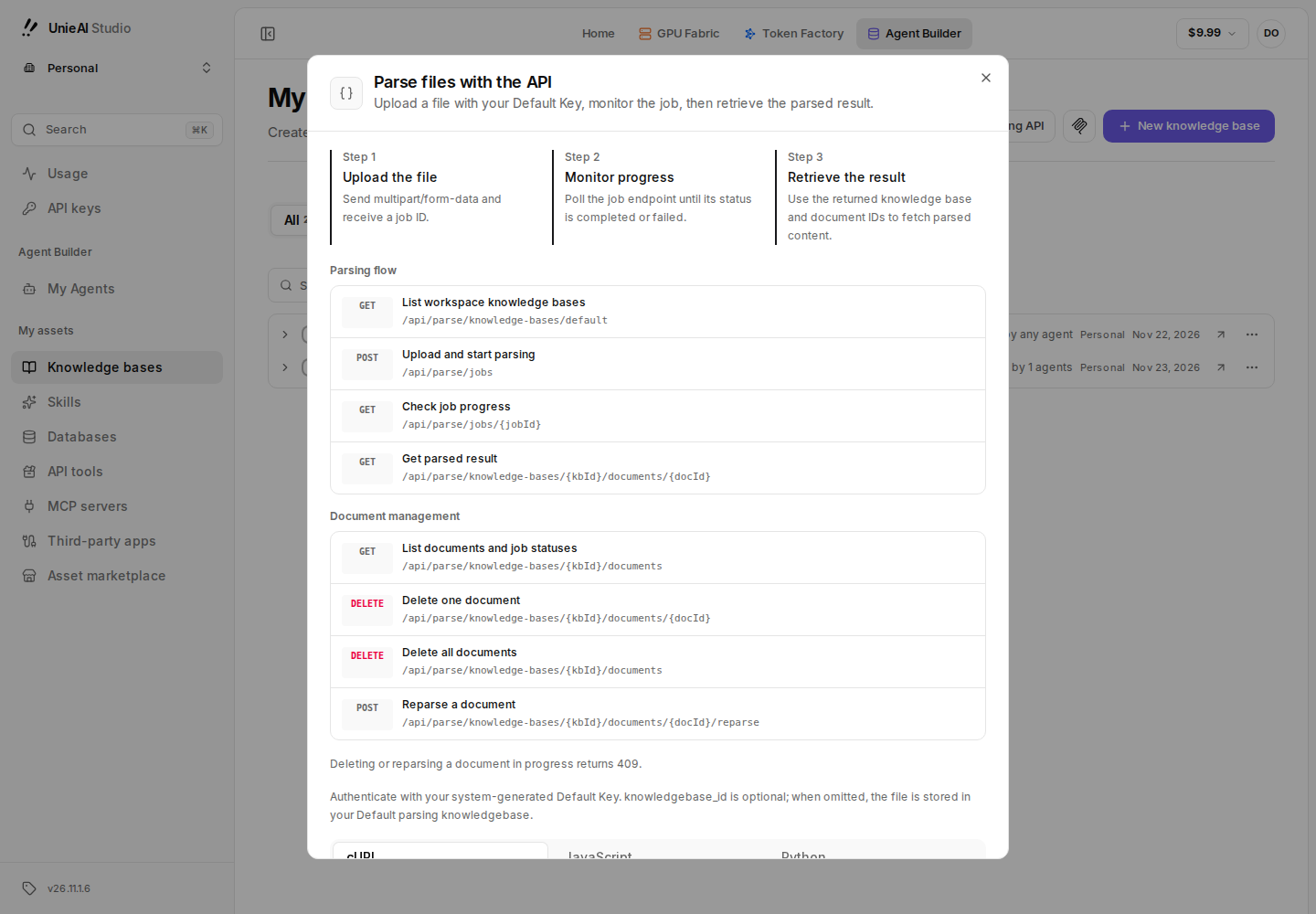
To save a document in a KB and retrieve Markdown after background processing, call these three endpoints in order. Start with the sample document or a small PDF before processing a batch.
| Step | Studio endpoint | Meaning of success |
|---|---|---|
| Upload | POST /api/parse/jobs | HTTP 202: queued, not yet parsed |
| Poll | GET /api/parse/jobs/{jobId} | HTTP 200: inspect data.status for progress, completion, or failure |
| Retrieve | GET /api/parse/knowledge-bases/{knowledgeBaseId}/documents/{documentId} | HTTP 200: Markdown, summary, and page data |
Synchronous PDF/image reference is retained below. For persisted KB content and agent use, complete the background workflow first.
The system Default parsing knowledgebase has no web upload control; use POST /api/parse/jobs to upload; its accumulated storage has no KB capacity limit and it does not consume a creatable KB slot. The account single-file limit and file-type checks still apply. Get this Default Key's workspace-specific ID with:
curl --fail-with-body -sS "$UNIEAI_STUDIO_URL/api/parse/knowledge-bases/default" -H "Authorization: Bearer $UNIEAI_API_KEY"The response contains data.default_knowledgebase_id.
List knowledge bases and manage documents
GET /api/parse/knowledge-bases/default now lists every accessible KB in the Default Key's workspace. data.knowledge_bases is an array with id, name, size_bytes (total uploaded file bytes), document_count / file_count, and is_default_parsing. data.default_knowledgebase_id identifies the default parsing KB. Omitting knowledgebase_id during upload still selects that KB.
| Operation | Endpoint | Success response |
|---|---|---|
| List documents | GET /api/parse/knowledge-bases/{knowledgeBaseId}/documents | data.documents[] with document_id, filename, job_id, job_status, document_status, parse_status |
| Delete one | DELETE /api/parse/knowledge-bases/{knowledgeBaseId}/documents/{documentId} | data.deleted=true |
| Delete all | DELETE /api/parse/knowledge-bases/{knowledgeBaseId}/documents | data.deleted_count and data.deleted_document_ids |
| Reparse | POST /api/parse/knowledge-bases/{knowledgeBaseId}/documents/{documentId}/reparse | HTTP 202 with data.job_id; poll the job endpoint |
These endpoints require a system Default Key for the same workspace; deleting or reparsing also requires KB edit access. Deletion and reparsing return 409 document_processing while a document is queued, parsing, or cancelling. Bulk deletion first checks the whole KB and does not begin if any document is processing. If bulk deletion fails after beginning, error.details.deleted_document_ids reports completed deletions. The document list returns all by default; large KBs can use ?limit=1000&offset=0 (limit is at most 1000).
Step 0: prepare project or personal account, models, and Default Key
- Sign in and select the personal account or project that will own the documents.
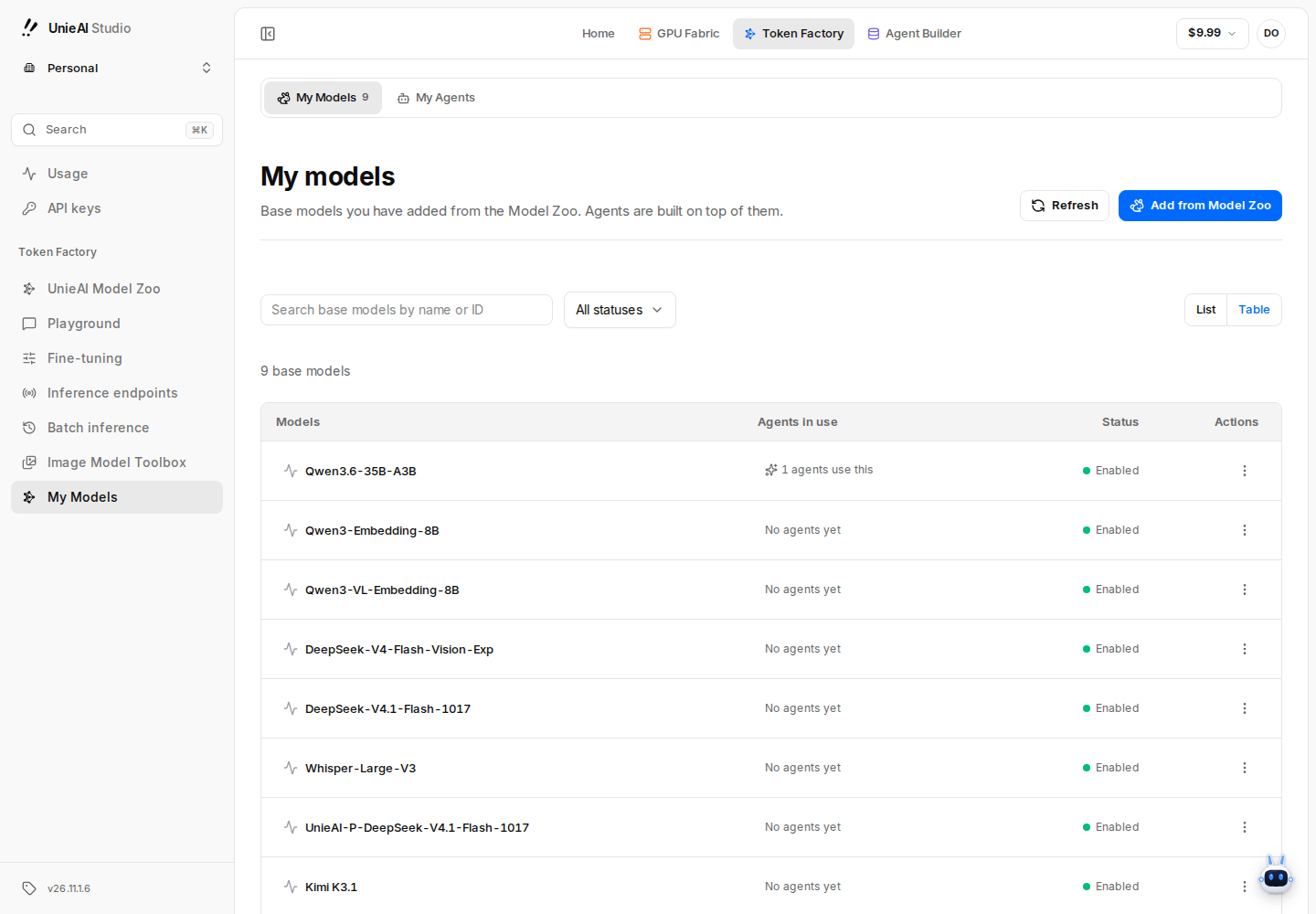
- Open Agent Builder → Knowledge bases and adopt every required model into that project or personal account. Follow the prompts for the file format to check access to the required visual parsing or speech-to-text models. KB Super does not require separate chunking, embedding or reranking models.
- If a system model is unconfigured, have an administrator configure Admin Panel → System Models.
- Check balance, single-file size, storage, and page quotas.
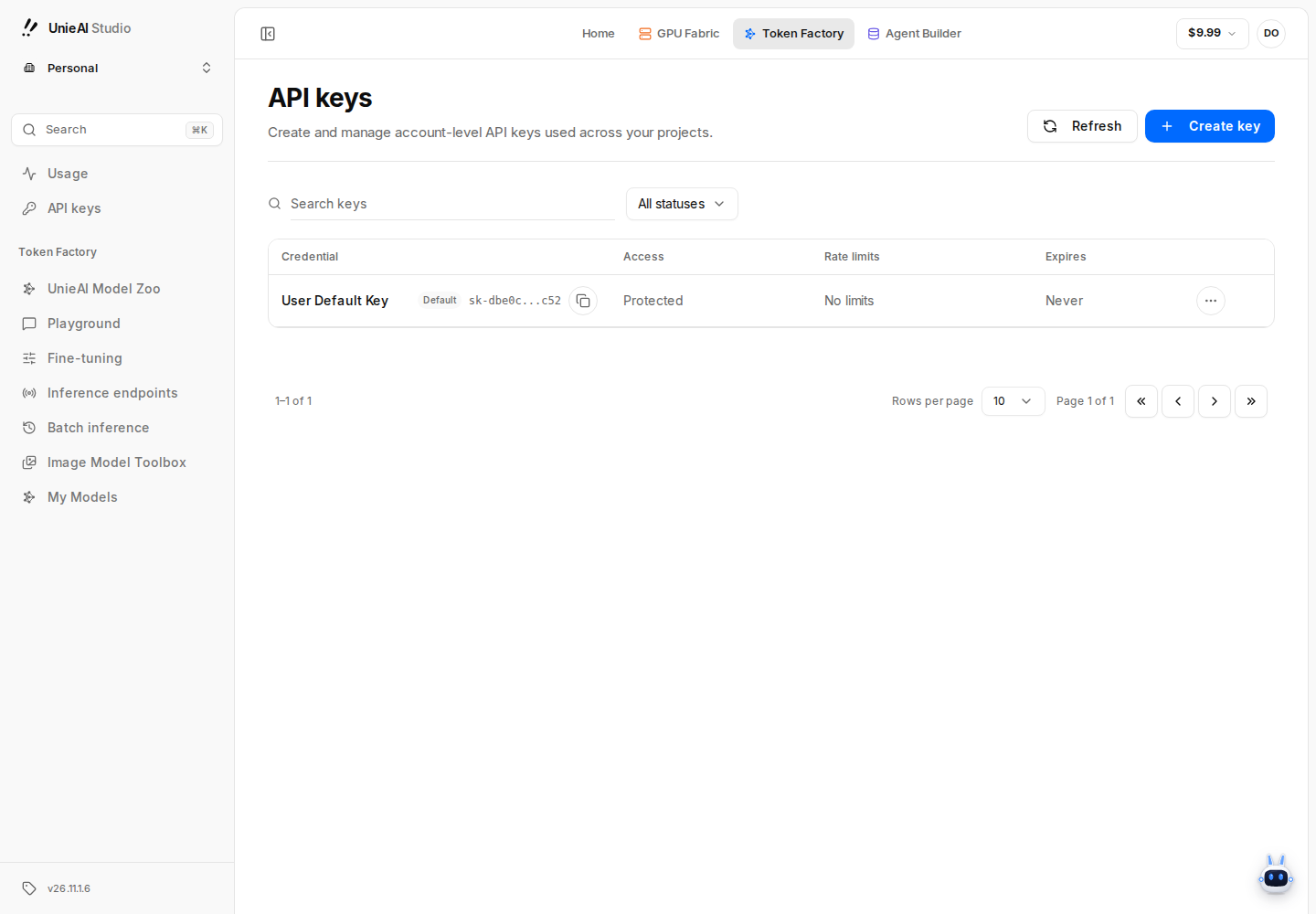
- Open API Keys and obtain the current project or personal account's system Default Key. A manually created ordinary key cannot call these three background endpoints.
- Confirm the Studio Base URL: the website you sign in to. Parsing is served by Studio, not the model Runtime
/v1host.
| Key | Destination |
|---|---|
| Personal Default Key | The user's personal KB |
| Project Default Key | That project's KB, subject to caller access checks |
Checkpoint: the key, KB, and models target the same project or personal account. Knowing another project's KB ID does not grant cross-project or personal account upload or read access.
Step 1: upload and save all three IDs
Run on a trusted backend or local terminal. Set the environment variables and prepare the file:
export UNIEAI_STUDIO_URL="https://studio.example.com"
export UNIEAI_API_KEY="YOUR_WORKSPACE_DEFAULT_KEY"

curl --fail-with-body -sS \
  "$UNIEAI_STUDIO_URL/api/parse/jobs" \
  -H "Authorization: Bearer $UNIEAI_API_KEY" \
  -F "file=@./product-support.md;type=text/markdown"
A successful 202 response looks like:
{
  "request_id": "req_example_upload",
  "data": {
    "job_id": "job_example",
    "status": "queued",
    "knowledgebase_id": "kb_example",
    "document_ids": ["doc_example"]
  }
}
Save job_id, knowledgebase_id, and document_ids[0] immediately. Use the actual returned values in later requests, not these example IDs.
Existing KB or default parsing KB
Omitting knowledgebase_id uses the key's project or personal account Default parsing knowledgebase. To write into an existing KB, add this field to the same upload request:
-F "knowledgebase_id=YOUR_KB_ID"The target must be in the key's project or personal account and writable by the caller. title is optional; omit it for the first request to retain the original filename. When customizing Markdown/text titles, retain the original extension so the parser can identify the format. file is required and contains one actual file per request; a JSON file URL is not a substitute.
Let cURL, requests, or FormData set the multipart boundary. Supported categories include PDF, Markdown, Word, text, CSV/Excel, presentations, images, audio, and MP4. See document uploads for exact extensions. Limits follow the account and platform; the fixed synchronous-endpoint limits below do not define background-job limits.
Checkpoint: receive 202 and retain the IDs. queued still requires polling.
Step 2: poll until completed
Replace these IDs with the upload response values:
export JOB_ID="job_example"
export KB_ID="kb_example"
export DOCUMENT_ID="doc_example"

curl --fail-with-body -sS \
  "$UNIEAI_STUDIO_URL/api/parse/jobs/$JOB_ID" \
  -H "Authorization: Bearer $UNIEAI_API_KEY"
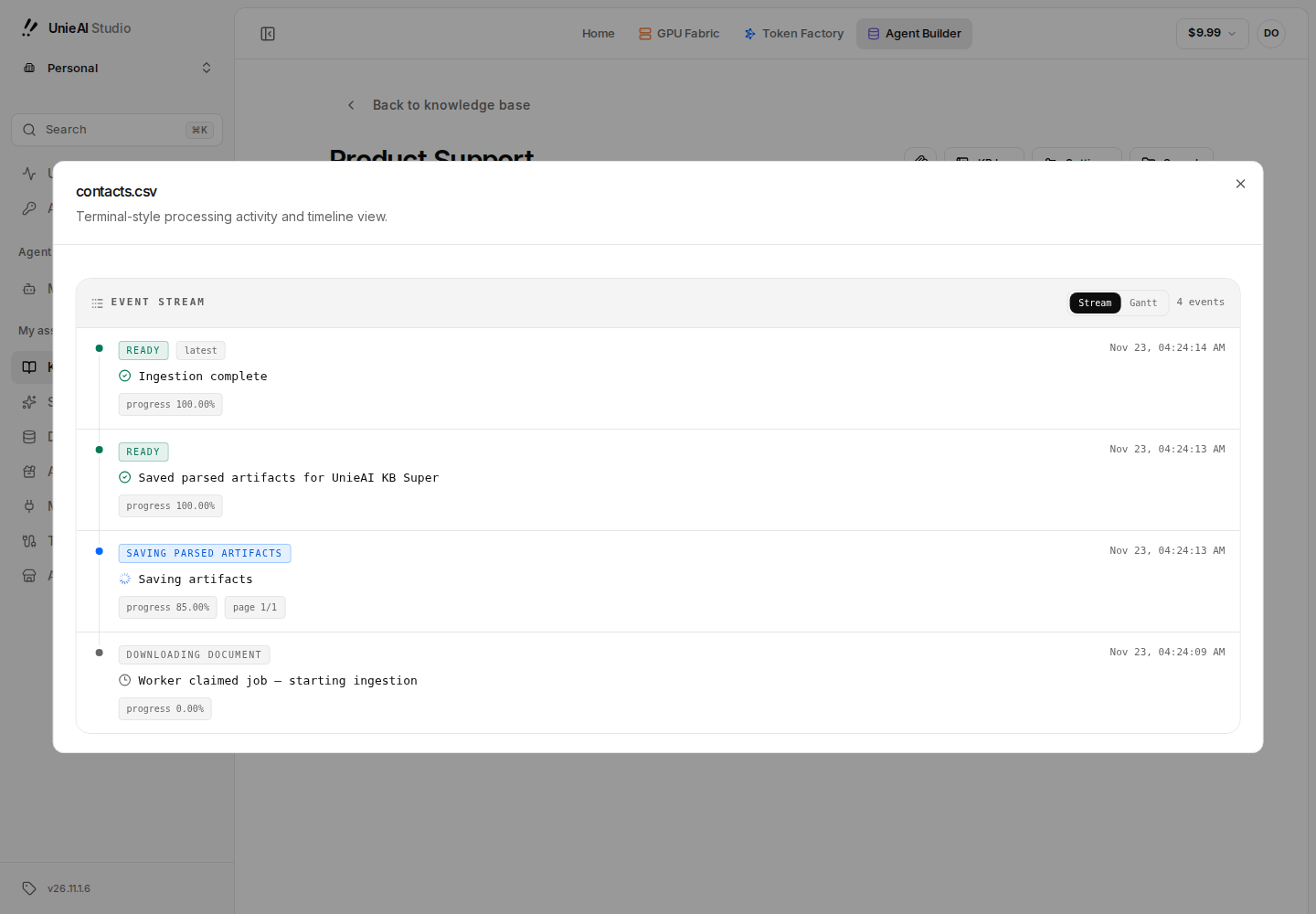
While processing, the response can look like:
{
  "request_id": "req_example_poll",
  "data": {
    "jobId": "job_example",
    "status": "processing",
    "progress": 35,
    "stage": "parsing",
    "message": "Parsing document",
    "knowledgeBaseId": null,
    "documentIds": [],
    "document": {
      "id": "doc_example",
      "status": "processing",
      "pagesTotal": 1,
      "pagesDone": 0,
      "pagesFailed": 0
    },
    "error": null
  }
}
data.status | Next action |
|---|---|
processing | Wait and poll again, for example every 2–5 seconds; inspect stage, message, and document state |
completed | Retrieve results; also inspect failed pages and partial document state |
failed | Stop polling; inspect error and message, resolve the cause, then retry processing |
Naming differs: upload uses job_id, knowledgebase_id, and document_ids; polling uses jobId, knowledgeBaseId, and documentIds. During processing, the latter two may be empty. Preserve the upload IDs.
HTTP 200 means the status query succeeded, not that parsing succeeded. completed can include a usable partial document: inspect document.status, pagesDone, and pagesFailed before accepting it. Not every file type has PDF-style page counts.
Step 3: retrieve Markdown, summary, and pages
curl --fail-with-body -sS \
  "$UNIEAI_STUDIO_URL/api/parse/knowledge-bases/$KB_ID/documents/$DOCUMENT_ID" \
  -H "Authorization: Bearer $UNIEAI_API_KEY"
A successful 200 response includes the following fields. Actual text, pages, and metadata depend on the file:
{
  "request_id": "req_example_result",
  "data": {
    "knowledgebase_id": "kb_example",
    "document_id": "doc_example",
    "title": "product-support.md",
    "status": "indexed",
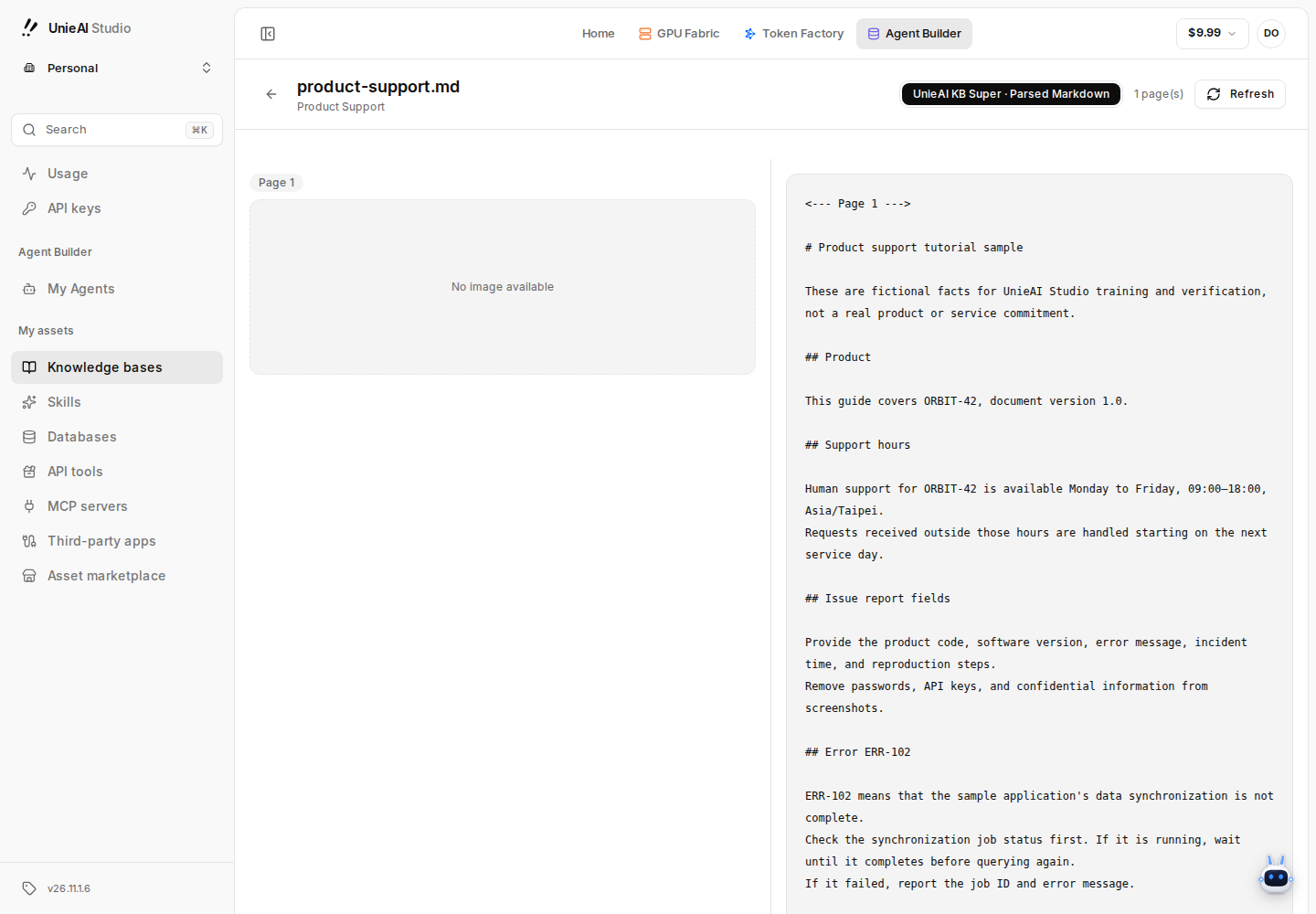
    "content": "# ORBIT-42 Tutorial\nORBIT-42 human support hours...",
    "summary": "ORBIT-42 support hours and issue reporting...",
    "page_count": 1,
    "pages": [
      {
        "pageIndex": 0,
        "content": "",
        "summaryText": "Parsed Markdown for this page..."
      }
    ]
  }
}| Field | Use |
|---|---|
content | Document Markdown; falls back to parsed Markdown when normalized raw content is empty |
summary | Parser summary/Markdown; it may equal content and is not guaranteed to be a separate shorter summary; it can be empty for text/Markdown input |
page_count | Recorded page count, depending on format and parse result |
pages | Page content and metadata; pageIndex is zero-based |
pages[].summaryText | Visual-parser text can be here; empty page content alone does not establish failure |
Reading too soon returns 409 result_not_ready. Resume status polling. This endpoint returns parsed data, not an answer to a question; attach the KB to an agent for question answering.
Checkpoint: compare known sentences, numbers, tables, and source pages against the input.
Complete Python example: upload, bounded polling, save
Set the environment variables above, place the sample in the working directory, and install requests:
python -m pip install requestsSave the following as parse_document.py and run python parse_document.py. It uploads once. A waiting timeout prints the job ID instead of automatically creating another document.
import json
import os
from pathlib import Path
import time

import requests

base = os.environ["UNIEAI_STUDIO_URL"].rstrip("/")
key = os.environ["UNIEAI_API_KEY"]
file_path = Path("product-support.md")
headers = {"Authorization": f"Bearer {key}"}


def request_json(method, path, **kwargs):
    response = requests.request(
        method, base + path, headers=headers, timeout=(10, 120), **kwargs
    )
    payload = response.json()
    if not response.ok:
        error = payload.get("error", {})
        raise RuntimeError(
            f"HTTP {response.status_code}: {error.get('code')} "
            f"{error.get('message')} request_id={error.get('request_id')}"
        )
    return payload["data"]


# To target an existing KB, add fields["knowledgebase_id"] = "YOUR_KB_ID".
fields = {}
with file_path.open("rb") as source:
    upload = request_json(
        "POST", "/api/parse/jobs", data=fields,
        files={"file": (file_path.name, source, "text/markdown")},
    )

job_id = upload["job_id"]
kb_id = upload["knowledgebase_id"]
document_id = upload["document_ids"][0]
print("Created job:", job_id, "KB:", kb_id, "document:", document_id)

# Client waiting limit, not a service completion-time guarantee.
deadline = time.monotonic() + 20 * 60
while time.monotonic() < deadline:
    job = request_json("GET", f"/api/parse/jobs/{job_id}")
    print(job["status"], job.get("stage"), job.get("progress"))
    if job["status"] == "completed":
        break
    if job["status"] == "failed":
        raise RuntimeError(f"Parsing failed:{job.get('error')}; job ID:{job_id}")
    time.sleep(3)
else:
    raise TimeoutError(f"Stopped waiting; resume polling with {job_id}; do not upload again")

result = request_json(
    "GET", f"/api/parse/knowledge-bases/{kb_id}/documents/{document_id}"
)
Path("parsed.md").write_text(result["content"], encoding="utf-8")
Path("parsed.json").write_text(
    json.dumps(result, ensure_ascii=False, indent=2), encoding="utf-8"
)
print("Saved parsed.md and parsed.json; document status:", result["status"])
print("Page processing:", job.get("document"))
For PDF input, change the filename and MIME type to application/pdf. Production clients should also handle temporary network errors. If uploading times out, check the KB for an existing document before resubmitting.
Diagnose errors in order
| HTTP/state | Check |
|---|---|
| 400 | Valid multipart body, required file, no truncated request |
| 401 | Missing, invalid, disabled, or expired Bearer key |
| 403 | System Default Key requirement and caller resource permissions |
| 404 | Actual KB/document/job IDs, project or personal account, and initiating identity; another key scope may not read the job |
409 result_not_ready | Poll the job, then fetch after completion |
| 413 | Account or deployment upload size limit |
415 unsupported_file_type | Use an accepted extension; inspect the response's accepted list |
422 precondition_failed | Check the prerequisite identified in the response, such as a personal workspace that is not ready; follow the error guidance |
| 200 but job failed | Inspect error, model access, balance, input, and parsing services |
| Processing for a long time | Inspect stage, message, queue, and balance; keep the job ID instead of uploading duplicates |
Include the time, request ID, job ID, KB/document IDs, and error when reporting a problem. Do not include the key in screenshots or logs.
Synchronous endpoints: one-time parsing only
POST /api/parse/pdf and POST /api/parse/image are a separate synchronous flow. They accept valid personal user keys with the configured VLM access; do not apply this authentication rule to the Default Key workflow above. The administrator must configure the VLM Parser.
| Endpoint | Behavior | Limit | Parser timeout |
|---|---|---|---|
POST /api/parse/pdf | Return PDF pages synchronously; optional chunk=true | 50 MB | 5 minutes |
POST /api/parse/image | Return one image result synchronously | 20 MB | 2 minutes |
They do not create KB documents or indexes and require an open request connection. Use /api/parse/jobs for persistence, background processing, and subsequent agent use.
Parse a PDF
curl -X POST "https://your-studio.example/api/parse/pdf" \
  -H "Authorization: Bearer $UNIEAI_API_KEY" \
  -F "file=@document.pdf;type=application/pdf"
Successful response:
{
  "request_id": "req_abc123",
  "data": {
    "source_kind": "pdf",
    "page_count": 2,
    "pages": [
      {
        "pageIndex": 0,
        "content": "",
        "summaryContent": "# Q1 report\nRevenue increased...",
        "figures": [
          {
            "type": "chart",
            "bbox": [100, 180, 900, 720],
            "description": "A bar chart of monthly revenue",
            "language": "en",
            "visibleText": "January February March"
          }
        ]
      }
    ],
    "metadata": {
      "engine": "parser_cli",
      "vlm_model": "configured-model-slug",
      "file_name": "document.pdf",
      "file_size": 123456
    }
  }
}contentcomes from parserrawTextorcontentand can be empty in the current VLM PDF path.summaryContentis the primary VLM page transcription.bboxuses normalized 0–1000 coordinates.vlm_modelis the administrator-configured model slug, not a fixed model name.- The API returns figure text and coordinates, not crop files, Base64 data, or image URLs.
Optional chunks
Only the PDF endpoint supports the chunk query parameter, and only the exact value chunk=true enables it:
curl -X POST "https://your-studio.example/api/parse/pdf?chunk=true" \
  -H "Authorization: Bearer $UNIEAI_API_KEY" \
  -F "file=@document.pdf;type=application/pdf"
The response data then also contains:
{
  "chunks": [
    {
      "chunkIndex": 0,
      "pageIndex": 0,
      "content": "# Q1 report\nRevenue increased...",
      "sectionTitle": "Q1 report",
      "chunkingStrategy": "line_based"
    }
  ]
}
These chunks exist only in this response. The option does not persist the document, generate embeddings, write Dense/BM25 indexes, or run Contextual Retrieval. The actual chunkingStrategy depends on parser output and the synchronous chunking path.
Parse an image
curl -X POST "https://your-studio.example/api/parse/image" \
  -H "Authorization: Bearer $UNIEAI_API_KEY" \
  -F "file=@screenshot.png;type=image/png"
Successful response:
{
  "request_id": "req_def456",
  "data": {
    "source_kind": "image",
    "content": "Extracted text and visual description...",
    "figures": [
      {
        "type": "diagram",
        "bbox": [50, 100, 950, 880],
        "description": "A system architecture diagram",
        "language": "en",
        "visibleText": "Client API Runtime"
      }
    ],
    "metadata": {
      "engine": "parser_cli",
      "vlm_model": "configured-model-slug",
      "file_name": "screenshot.png",
      "file_size": 456789
    }
  }
}
The image endpoint does not support chunk=true. If the VLM detects no individual visual region, the parser may attempt to treat the whole image as a photo and caption it.
Error shape
{
  "error": {
    "code": "invalid_request",
    "message": "Missing 'file' field in form data",
    "request_id": "req_err789"
  }
}| HTTP status | Common causes |
|---|---|
400 | Invalid multipart request, missing file, or invalid parameters |
401 | Missing Bearer token or invalid API key |
413 | PDF over 50 MB or image over 20 MB |
500 | Unavailable VLM/runtime configuration, parser spawn failure, invalid file, timeout, or invalid parser JSON |
The route does not fully verify that the extension, MIME type, and file bytes agree before invoking the parser. Send PDFs to the PDF endpoint and images to the image endpoint with an accurate filename and content type.
Deployment and usage limits
- Five and two minutes are parser-process timeouts. A reverse proxy, CDN, or hosting platform may enforce a shorter request timeout or body-size limit.
- This is a synchronous API, so the connection must remain open until parsing finishes. Use knowledge base background ingestion for large or multi-page documents.
- The configured VLM receives document pages or images. Before using an external model service, review data residency, retention, confidentiality, and personal-data requirements.
- Transcriptions and captions are model-generated. Validate numbers, tables, legends, and domain-specific terms when exactness matters.
Use from an agent or backend service
An agent tool cannot send only a file_url JSON value to these endpoints. A trusted backend must download and validate the file, then construct the multipart request. Restrict source domains, download size, redirects, and private network addresses to reduce SSRF risk.