Projects, Projects, and Data Isolation
Learn how personal accounts, projects, member roles, resource sharing, API keys, and wallets are isolated.
UnieAI Studio uses a project or personal account as the main user-facing resource boundary. Every user has a personal account and can create or join one or more projects. The current project or personal account selected in the sidebar determines the scope shown on model, knowledge-base, SQL database, skill, API-key, wallet, and other asset pages.
A Project in the Studio UI is a non-personal account backed by exactly one database Project record. The database Tenant, Project, and Group records are implementation details; they do not represent a user-configurable Tenant → many Projects → many Groups hierarchy.
Personal account
A personal account is prepared with the user account. Its main properties are:
- Resources are primarily owned by the user and personal account
- Personal API keys resolve model access as that user
- Runtime usage is paid from the personal wallet
- Supported resources can be shared directly with another user or project
- A personal account has no project invitations or project member roles
Switching to a project does not move personal assets into it. To let a project use a personally owned resource, use that resource's sharing, entitlement, or Marketplace adoption workflow.
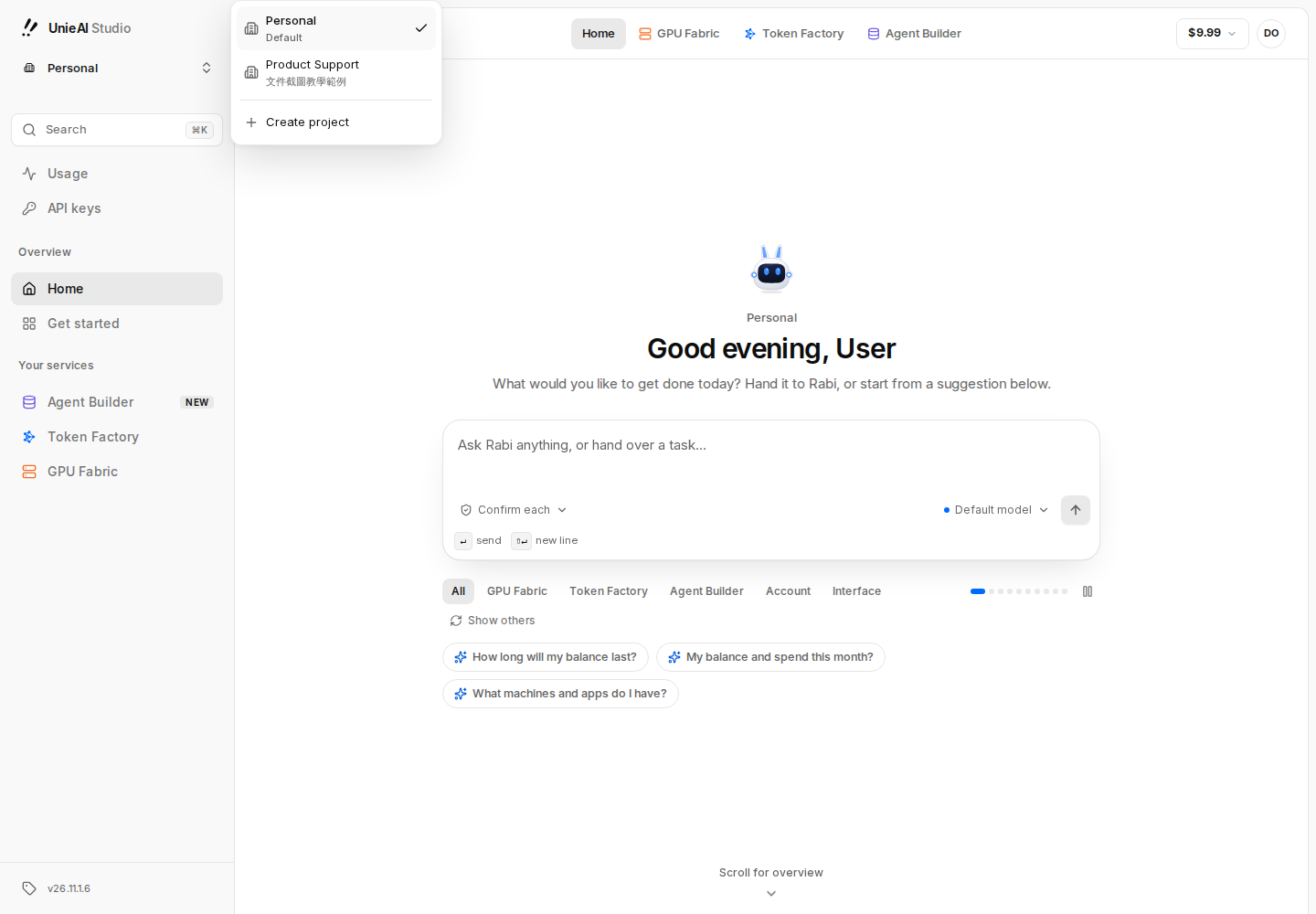
Project
A project is a project or personal account for shared resources and a shared wallet. Its creator receives the creator role. Other members join through invitations and receive a project role.
Project resources can include:
- Custom models
- Knowledge bases and the dataset
- SQL database connections
- Skills
- API keys
- Deployments, machines, and other licensed project or personal account features
The ability to create or manage a resource depends on member role, platform status, license, quota, and resource-level permission. Membership alone does not grant edit access to everything.
Three permission layers
Studio evaluates platform role, project role, and resource-level permission together.
Platform roles
| Role | Main purpose |
|---|---|
super_admin | Full platform and system administration |
admin | Platform administration features |
pro | Pro default features and quotas |
user | Standard-user default features and quotas |
pending | Awaiting approval; cannot create projects or normal personal API keys and other restricted resources |
A platform role controls platform features, administrative UI, and default quotas. It is not a permanent ACL for every business resource. Platform administrators can have additional visibility for administration; ordinary users still pass project or personal account and resource checks.
Project roles
| Role | Project-level ability |
|---|---|
creator | Manage project name, membership, roles, invitations, and supported project settings |
collaborator | Edit the name, invite members, manage ordinary users, and use project resources |
user | Use authorized project resources but not change project settings, roles, or invitations |
Creators and collaborators can normally create and manage project resources, but individual features still perform additional checks. SQL connections, deployments, or high-risk operations can also require a license or feature-specific authority.
Resource-level permissions
Custom models, knowledge bases, skills, and similar resources can separately identify:
- Owner or creator
- Collaborators who can edit
- Users who can use but not manage
- Other projects that can use the resource
- Marketplace publication or adoption status
A project user can therefore edit one resource if explicitly made its collaborator. Conversely, someone who manages their own project cannot automatically edit a resource another project only shared for use.
Resource scopes
| Resource | Primary scope | Additional isolation |
|---|---|---|
| Custom model | Personal account or creating project | Collaborators, allowed users, allowed projects, visibility |
| Knowledge base | Project backing the personal account or project | Owner, collaborators, user and project sharing, Marketplace |
| Skill | Personal account or project | Collaborators, allowed users or projects, versions, Marketplace entitlement |
| SQL database | Project or personal account and creator authority | Connection ACL, allowed operations, and write policy |
| API key | Personal account or project | Owner or project role, expiry, enabled state, rate and usage limits |
| Request Logs | Billing and execution Project | Personal, project-member, or platform-admin visibility |
| Wallet | Personal account or non-personal project | Separate ledger, reservations, and top-up authority |
Visibility in an asset list, runtime use, and configuration editing are distinct permissions. The runtime checks again whether the user or project represented by the API key may use the requested model and its bound resources.
API-key isolation
Personal API keys
A personal key is stored in user API-key scope. The runtime resolves model access as the owner and charges usage to the personal wallet.
Project API keys
A project key belongs to that project. Project creators and collaborators can create and manage it; ordinary users have only the visibility currently allowed by the UI and permission checks. The runtime authorizes only models available to that project and charges billable usage to its project wallet.
Do not reuse one key across projects. Create separate keys for development, testing, production, and different applications so usage can be attributed, limited, and revoked correctly.
See API Key Management for the operational workflow.
Wallet and usage isolation
Personal and project wallets are separate billing boundaries:
- Personal keys and personal requests use the personal wallet
- Project keys and project runtime requests use the project wallet
- Request Logs and usage summaries retain project, API-key, model, and request attribution
- Project role and platform authority determine who can view or top up a project wallet
A member's unrelated personal usage does not become project-funded merely because they joined the project. The key and project or personal account resolved for each request determine its billing target.
Quotas are configurable
The platform can define different defaults for super_admin, admin, pro, user, and pending, including:
- Whether projects can be created and how many
- Total project members
- Allowed users
- Collaborators
- Total custom knowledge-base capacity and per-file size
Administrators can change role defaults and apply per-user overrides. This documentation therefore does not present a permanent plan-quota table. Use the limits shown by the current Studio deployment and administrator settings. Exceeding a limit normally blocks creation or expansion; it does not mean existing resources are deleted automatically.
Project deletion and shared resources
Project deletion is currently a restricted development feature. It cleans up resources created in and owned by that project or personal account, such as custom models, knowledge bases, and skills. A resource owned elsewhere and merely shared with the project should not be treated as project-owned content to delete.
Project deletion is destructive. Do not infer its result from database Tenant cascade rules. Before running it, review the UI warning, affected resources, backup requirements, and Marketplace adoption relationships.
Internal data model
The system internally uses Tenant, Project, and Group records for runtime, API keys, billing, and logs:
- Every personal account and project has a corresponding Group
- Each Group currently maps to one Project, which carries API-key, log, and selected data scopes
- A Project belongs to an internal Tenant container
- A non-personal Group is what the user sees as a project
These relationships describe current storage; they are not a public commitment to a user-configurable project hierarchy API. Users should work with projects, projects, and resource permissions.